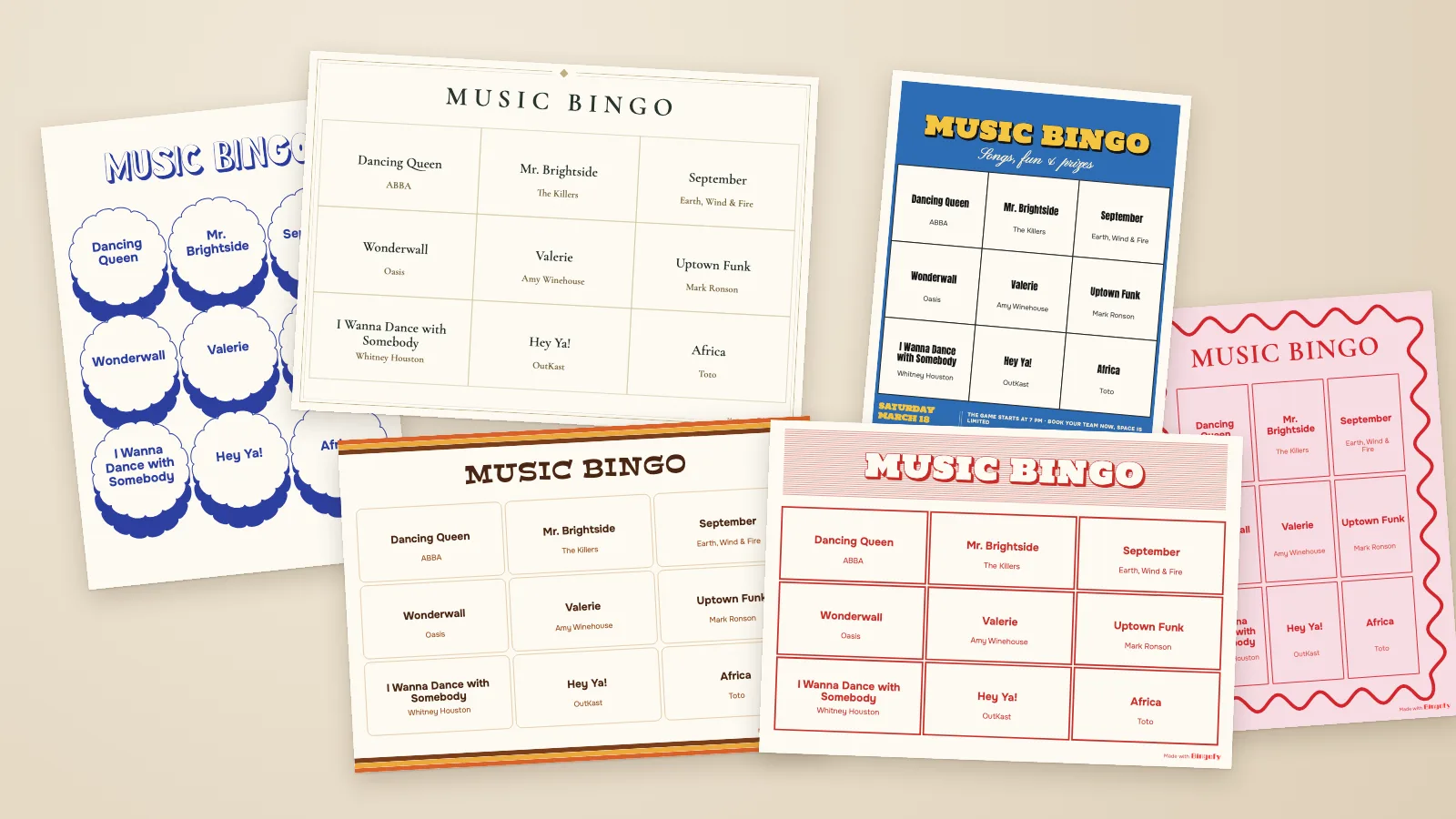
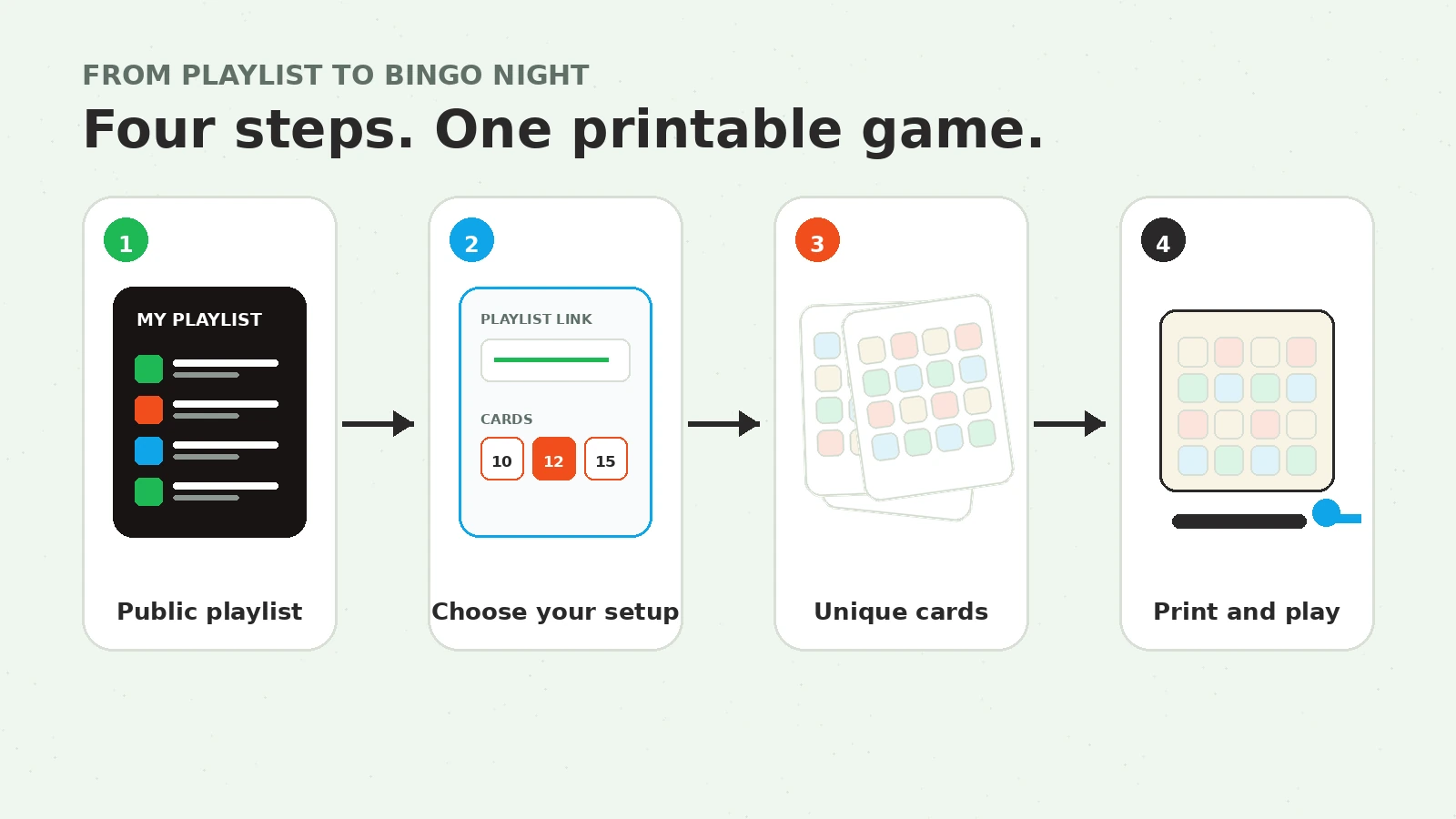
To create music bingo cards from Spotify, build a public playlist, copy its link, paste it into Bingofy, choose your player count, pick a card design and grid, then download the finished PDF. Bingofy pulls in the song titles and artists and shuffles them into a different card for each player.
You can start a game now if your playlist is ready. The free version creates up to 15 cards.
This guide covers the details that usually cause trouble: how many songs to use, which grid to pick, how to handle duplicates, and how to print cards people can actually read.
What you need before you start
Get these four things ready:
- A Bingofy account
- An accessible public Spotify playlist
- At least one card per player
- A printer, or a local print shop that accepts PDF files
Your playlist must have enough unique songs. Bingofy asks for at least 20 for grids up to 15 squares (3x3, 3x4, 3x5), 25 for 4x4 and 4x5, and 30 for 5x5. If the playlist is too short, the app tells you: “Choose a public playlist with at least 25 unique songs” (or whatever the grid needs). Those are hard minimums, not ideal playlist sizes. With exactly 25 songs on 4x4 cards, every card shares at least 7 of its 16 songs with every other card. A larger song pool gives each card a more interesting mix.
If you do not have a playlist yet, browse Bingofy’s ready-made music bingo playlists or use the playlist-building guide to make your own.
The complete Spotify-to-card workflow
1. Build a playlist for the people in the room
Start with songs your players will recognize. A clever theme cannot rescue a playlist full of blank stares.
Start with the audience. A 35th birthday can mix current pop with songs everyone heard in high school. A wedding needs tracks that work across age groups. A bar can go narrower if the event has a clear decade or genre theme.
Use these ranges as a practical starting point:
| Card grid | Hard minimum | Better working song pool | Good fit |
|---|---|---|---|
| 3x3 | 20 | 20 to 30 | Quick rounds, kids, icebreakers |
| 4x4 | 25 | 30 to 45 | Parties, bars, weddings, team events |
| 5x5 | 30 | 45 to 60 | Longer rounds and experienced groups |
A few playlist rules save a lot of pain later:
- Favor songs with recognizable intros, hooks, or choruses.
- Mix eras and styles only when the audience will enjoy the jump.
- Remove live versions, remixes, and covers that look like duplicates.
- Avoid filling the list with several tracks by the same artist.
- Check for very long titles that may be hard to read on a small card.
For a deeper breakdown, see how many songs you need for music bingo.
2. Make the Spotify playlist public and copy its link
Bingofy imports the track names and artists from the playlist link. The playlist needs to be accessible publicly at the time you load it.
In Spotify:
- Open the playlist.
- Choose the three-dot menu.
- Select Share.
- Choose Copy link to playlist.
The copied address should look like a Spotify playlist URL. A link to one song, an album, or an artist page will not load the set of tracks you need.
If Bingofy cannot read the playlist, open the link in a private browser window. If you cannot see it there, the playlist is probably private or unavailable.
3. Start the game and choose the number of cards
Open the Bingofy game creator, sign in, and give the cards a title your players will recognize. Something simple such as “Maya’s 30th” or “Friday ’90s round” works. That title goes on top of every card, and your game list shows it next to the date, so it’s easier to find later than several games called “Music Bingo.”
Create one card per player. If the guest count is not final, add two or three extras. Bingofy lets you create up to 15 cards free, so a twelve-person party can make a complete set without paying.
For a larger event, use your realistic attendance number rather than the room capacity. You can always create another set if sales or RSVPs change.
4. Paste the playlist link and check the import
Paste the public Spotify link into the playlist field and load the tracks. Do not rush past the imported list.
Check:
- Did the full playlist load?
- Do the song titles and artists look right?
- Are there alternate versions of the same song?
- Is the playlist long enough for the grid you want?
Bingofy drops repeated tracks on its own when the playlist loads: the same Spotify track twice, or two tracks with the same title and artist. It can’t catch a remix or live version with a different title, so remove those in Spotify. An original and a well-known cover by another artist both stay, which is fine when players would clearly hear them as different songs.
You can’t remove individual songs inside Bingofy. Make playlist changes in Spotify before generating the final cards. If you add or remove songs in Spotify afterward, the printed cards will still reflect the version that Bingofy imported when you made them.
5. Pick a design and the right card grid
The last step of the game creator is Design. Pick one of the Bingofy designs, one from My designs if you saved one before, or hit Start from scratch for a blank card. Whatever you pick opens in the editor with your real songs already on it.
From there you can leave it as it is, or make it yours: change the title, fonts and colors, add your logo or a photo, style the cells. It’s free on every game, including the free one. The card design guide walks through everything the editor can do.
The grid lives in the design too, so this is also where you choose 3x3, 4x4, or 5x5. Bigger is not automatically better.
A 3x3 grid moves fast and works well when players are young, the event is short, or music bingo is one part of a larger night. A 4x4 grid is the safest choice for most parties and venues. It gives enough suspense without turning the card into an eye test. A 5x5 grid suits longer games, but it needs a larger playlist and more table space.
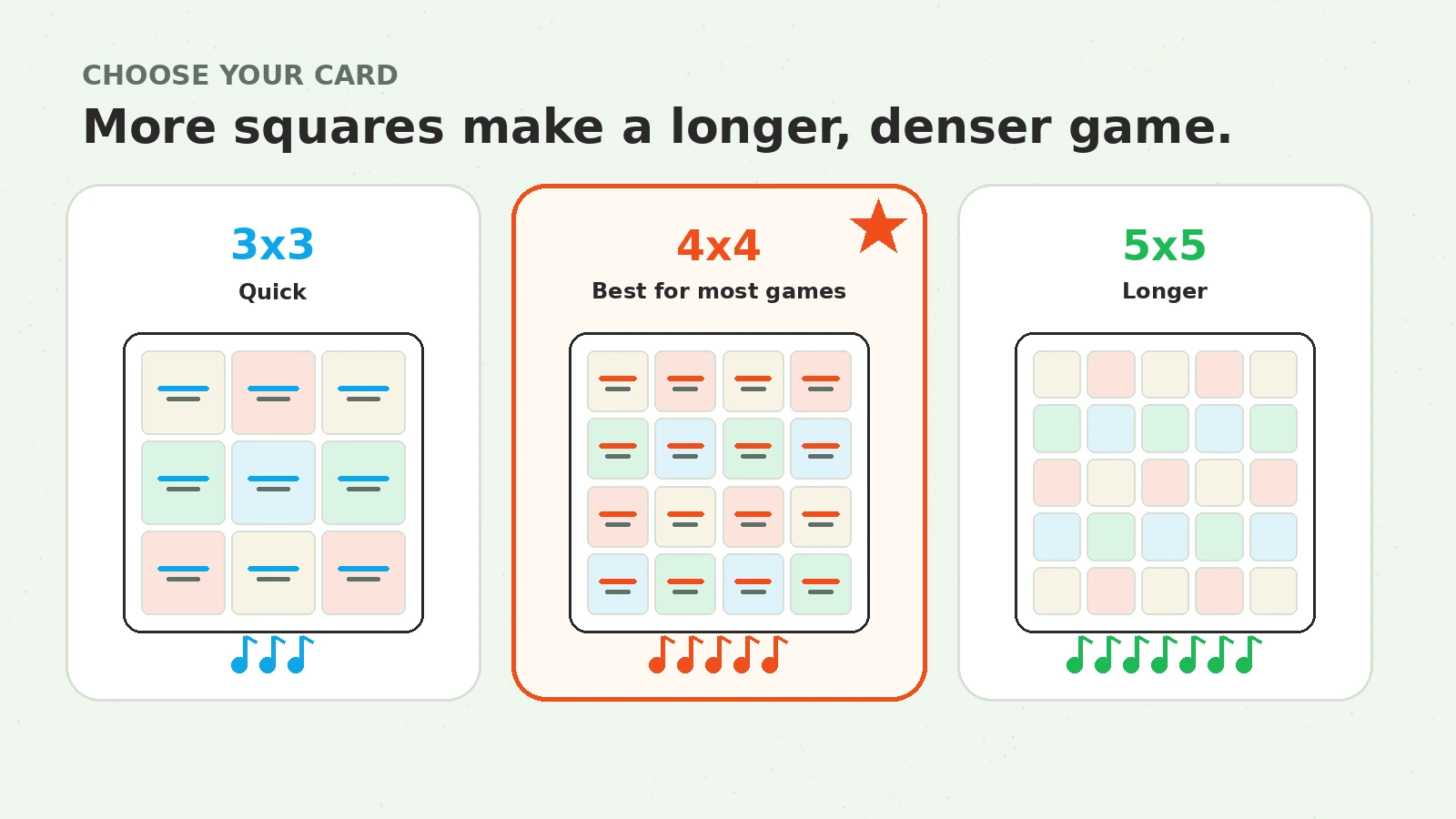
Think about the printed size too. A 5x5 card has 25 song cells. Long titles, small type, dim bar lighting, and a tiny four-up print layout are a rough combination. If several of those apply, choose 4x4.
By default, the cells show both the song title and artist. You can hide the artist in the editor, but keeping it makes it easier for players to confirm a track and for the host to check a win.
6. Generate unique cards
Once the playlist, grid, and card count look right, generate the set. Bingofy shuffles songs into unique card layouts and checks that the cards are not identical.
“Unique” does not mean every player sees a completely different song list. Players will share many tracks because they are all playing from the same playlist. Their combinations and positions differ, which stops the whole room from winning at the same time.
Preview the result before downloading. Look for unreadable titles, an unexpected card count, or a grid that feels too dense. Going back now is much easier than reprinting the whole set.
7. Download the PDF and print one test card
Bingofy exports the cards as a printable PDF. Each PDF page contains one card, in A5 or US half letter, landscape or portrait depending on the design you picked.
Each design also tells you which paper it was made for, like white, kraft, or a pastel color. That color is not printed, the paper does the work. Only have white paper? Turn on Print the background colour and your printer fills it in.
Print one page first. Check it from the distance and lighting your players will have. Song titles should be readable without picking the card up and squinting.
For home printing:
- Use Actual size or 100% if you want one A5 card on A5 paper.
- Use your printer’s Pages per sheet setting to place two cards on A4 or Letter paper.
- Avoid Fit to page if it shrinks the text more than expected.
- Print in grayscale only after checking that the grid remains clear.
- Cut one test sheet before sending the full job.
The multiple-cards-per-sheet option belongs to your printer settings. It is not a separate Bingofy PDF format.
For a venue or wedding, save the PDF locally and send the exact file to the printer. Do not regenerate the cards between the test print and the final run, or you may end up with two different sets.
8. Keep the playlist and a host log together
Use the same Spotify playlist that created the cards. If someone removes or replaces tracks after printing, players can have songs on their cards that never appear in the game. Reordering the playlist is fine.
Keep a simple played-song log. A note on paper, a spreadsheet, or a duplicate playlist queue is enough. The goal is to verify a winning card without relying on memory.
Before the first song, tell everyone the winning pattern. Bingofy doesn’t enforce one, so it’s your call. A common setup is a line first (horizontal, vertical, or diagonal), then a full card. If you use any other pattern, announce it clearly before you start.
Once the cards are printed, the music bingo host guide covers song timing, the opening script, prizes, ties, and winner checks.
A worked example for 12 players
Say you are running a birthday game for 12 people.
- Playlist: 38 recognizable songs
- Cards: 12 unique cards
- Grid: 4x4
- Print setup: two A5 cards on each A4 sheet
- First win: one horizontal line
- Final win: full card
This setup leaves 22 playlist tracks off each individual card. Players share plenty of songs, but their cards do not all contain the exact same set. The 4x4 grid is readable and the round has room to build without taking over the entire party.
Create 14 cards if two extra guests might show up. Print one test sheet, then print seven A4 sheets with two cards per sheet.
Common problems and quick fixes
The Spotify playlist will not load
Make sure you copied a playlist link, not a track or album link. Then confirm that the playlist is public and opens while you are signed out of Spotify.
Bingofy says there are not enough songs
Bingofy asks for at least 20 unique songs for a 3x3, 25 for a 4x4, and 30 for a 5x5. Add songs or choose a smaller grid. Repeated tracks are dropped before counting, so a playlist with duplicates can come up shorter than Spotify shows.
The playlist has duplicates
Remove exact repeats. Look closely at remasters, deluxe-edition tracks, clean and explicit versions, live recordings, and songs that appear on more than one compilation.
Every card contains nearly the same songs
Your song pool is too close to the minimum. Add more tracks. Moving from 25 songs to 40 for a 4x4 game gives the generator much more room to vary each card.
The printed text is too small
Print fewer cards per physical sheet, choose a smaller grid, make the song font bigger in the editor, or shorten the playlist entries by replacing unusually long versions with the standard recording before importing again.
The host played a song that was not in the imported playlist
The Spotify playlist probably changed after the cards were generated, or the host started a different playlist. Return to the source playlist used for the PDF. A valid source-playlist song may be absent from one player’s card, so check the imported pool rather than a single card.
Frequently asked questions
Can I make music bingo cards from a Spotify playlist?
Yes. Paste the link to an accessible public Spotify playlist into Bingofy, choose your card count and grid, then generate the cards as a printable PDF.
Does my Spotify playlist need to be public?
Yes. Bingofy needs an accessible public playlist link to read the song titles and artists. You can paste the link without connecting your Spotify account to Bingofy.
How many music bingo cards can I create for free?
You can create up to 15 cards free. Make one for each player and a few extras if the guest count may change.
How many songs do I need?
Bingofy asks for at least 20 unique songs for grids up to 15 squares (3x3, 3x4, 3x5), 25 for 4x4 and 4x5, and 30 for 5x5. Use more than the minimum for better variation. A 30-to-45-song playlist works well for many 4x4 games.
Will every player get a different card?
Yes. Bingofy randomizes the tracks and checks that the generated cards are unique. Players will still share some songs because every card comes from the same master playlist.
Can I customize how the cards look?
Yes. The last step of the game creator is Design. Pick one of the Bingofy designs, one of your saved designs, or start from scratch, then change the title, fonts, colors, background and cells, or add your own text, logo and photos. It’s free on every game, including the free one.
Can I download and print the cards as a PDF?
Yes. Bingofy creates a PDF with one card per PDF page, in A5 or US half letter, landscape or portrait depending on the design. Use your printer’s pages-per-sheet setting if you want two or four cards on one physical sheet.
Ready to make the cards?
If the playlist is finished, create your music bingo game. Choose the number of players, import the Spotify link, pick a design and grid, and download the PDF.
If you want to compare the product workflow before signing in, see the Spotify music bingo generator. For rules and game formats, use the main music bingo guide and generator.